TightBeam Communicator4
Publisher Description
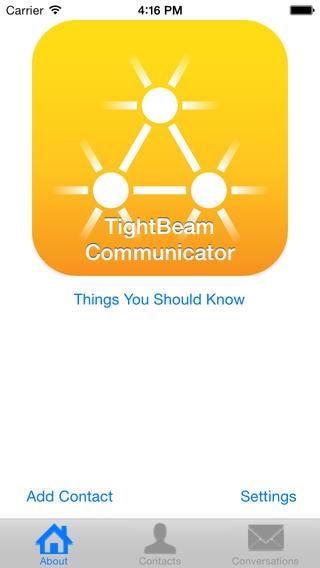
TightBeam Communicator is a free, secure texting app. Creating a secure contact is done in-person using QR codes and your iPhone's camera, ensuring that no one can intercept the connection. Once connected, messages can be sent between two connected devices that are unreadable by anyone but you and your contact. Not even the developers of this software know how to read your private messages!
TightBeam uses QR codes to transmit a secure key from one device to another. This is done to prevent a Man-in-the-Middle attack. This method of connecting ensures the person you connected with is the person you think it is (because they are standing right in front of you!).
This application is intended for use by government, military, law-enforcement, political figures, and anyone who wants to ensure a private line of communication.
Features:
End-To-End Encryption
Optionally auto-delete Messages
Face-to-Face trust
Highly resistant to Man-in-the-Middle attacks
No centralized message repository
No centralized certificate authority
Connections are not established over wifi, cellular, or bluetooth, preventing eavesdropping.
TightBeam is ad funded with iAd rather than with a subscription or purchase to make it as accessible to as many people as possible.
Requires iOS 6.1 or later. Compatible with iPhone, iPad, and iPod touch.
About TightBeam Communicator
The company that develops TightBeam Communicator is Lucas Jordan. The latest version released by its developer is 4.
To install TightBeam Communicator on your iOS device, just click the green Continue To App button above to start the installation process. The app is listed on our website since 2013-08-26 and was downloaded 3 times. We have already checked if the download link is safe, however for your own protection we recommend that you scan the downloaded app with your antivirus. Your antivirus may detect the TightBeam Communicator as malware if the download link is broken.
How to install TightBeam Communicator on your iOS device:
- Click on the Continue To App button on our website. This will redirect you to the App Store.
- Once the TightBeam Communicator is shown in the iTunes listing of your iOS device, you can start its download and installation. Tap on the GET button to the right of the app to start downloading it.
- If you are not logged-in the iOS appstore app, you'll be prompted for your your Apple ID and/or password.
- After TightBeam Communicator is downloaded, you'll see an INSTALL button to the right. Tap on it to start the actual installation of the iOS app.
- Once installation is finished you can tap on the OPEN button to start it. Its icon will also be added to your device home screen.
